Automation
Customer Service Automation for Small Businesses: What to Automate First
A practical guide to customer service automation for small businesses: what to automate first, what to keep human, and how to build a workflow that actually helps customers.
Table of contents
- What is customer service automation?
- What should a small business automate first?
- 1. Frequently asked questions
- 2. Initial customer details
- 3. Availability and status checks
- 4. Routing and ownership
- What should stay human?
- A practical example: a rental inquiry
- How to decide what is safe to automate
- How to roll it out without making support worse
- What should you measure?
- Where AI actually helps
- Frequently asked questions
- What customer service tasks should a small business automate first?
- Should a small business use AI for customer service?
- What is the difference between customer service automation and a chatbot?
- Can customer service be fully automated?
- Start with the work your team repeats
- Sources and further reading
Customer Service Automation for Small Businesses: What to Automate First
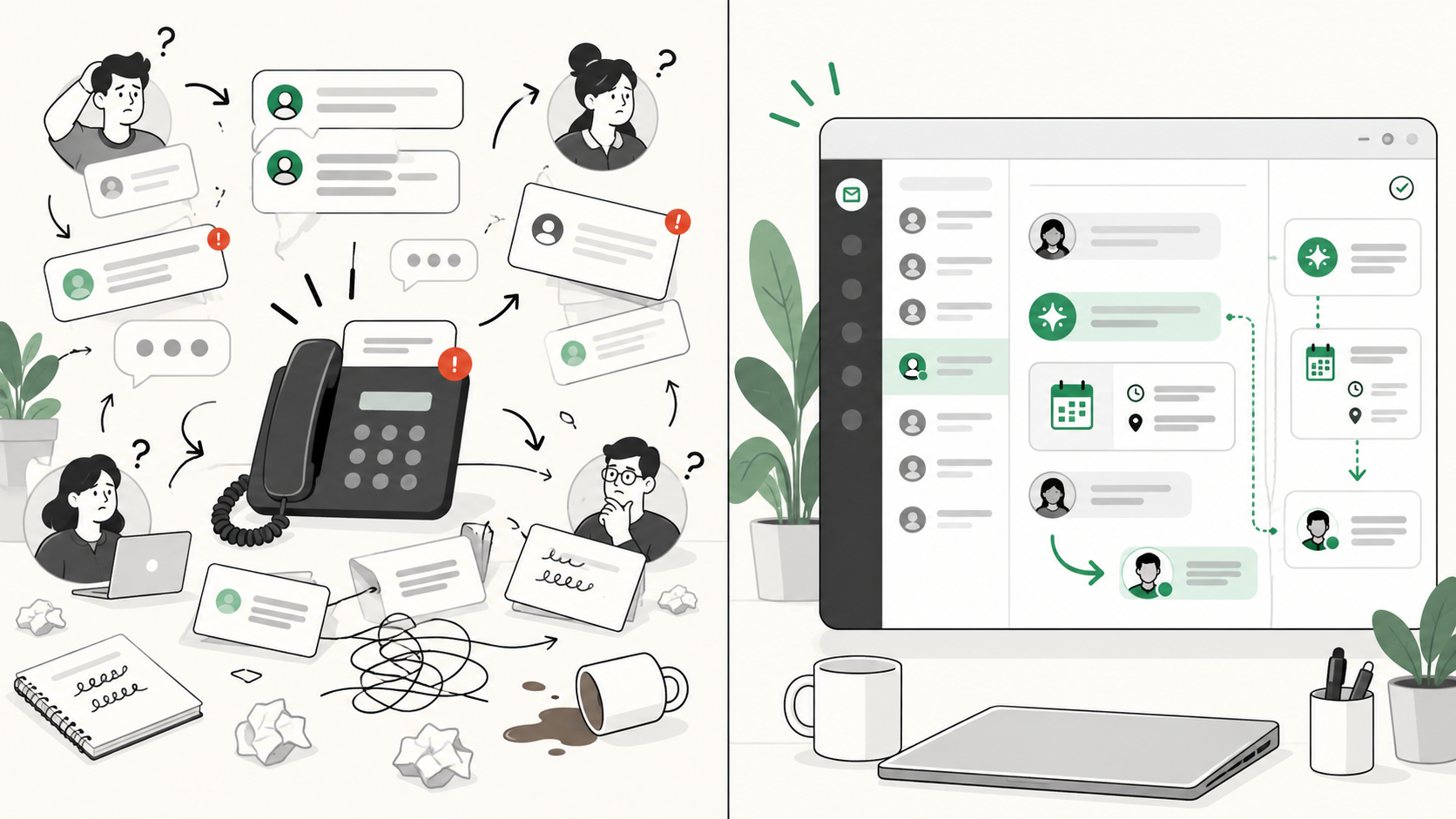
Customer service automation does not have to mean replacing your team with a chatbot.
For a small business, the useful version is simpler: automate repetitive parts of customer conversations so people can spend more time on questions that need judgment.
That can mean answering common questions, collecting booking details, checking availability, assigning a conversation to the right person, or handing a customer to a teammate when the request becomes more complicated.
The best place to start is not with the most impressive AI feature. Start with the work your team repeats every day.
What is customer service automation?
Customer service automation is the use of software to handle predictable parts of customer support without requiring a person to perform every step manually.
A good automation removes unnecessary work. A bad one simply puts another obstacle between the customer and your business.
That distinction matters for small teams. If only two or three people are answering customers, a confusing workflow can cost more time than it saves.
What should a small business automate first?
A useful rule is:
Automate work that is frequent, predictable, low-risk, and easy to verify.
If your team answers the same question 30 times a day and the answer follows a clear rule, it is a better automation candidate than something that happens twice a month and needs a manager to decide.
For most small businesses, the best starting points are these.
1. Frequently asked questions
Opening hours, location, delivery areas, check-in times, required documents, and basic service information are good candidates because the answer is known.
The important part is where the answer comes from.
An AI assistant should not invent your opening hours, prices, or policies. It should work from approved business information and hand the conversation to a person when the answer is unclear.
2. Initial customer details
Many customer inquiries are not difficult. They are incomplete.
A rental business cannot check availability if a customer only says:
Hi, scooter available?
Instead of making a staff member collect the details one message at a time, automation can ask for the pickup date, return date, number of vehicles, and location first.
By the time a person joins, the conversation is already useful.
3. Availability and status checks
Some questions depend on live business data:
- Is this scooter available this weekend?
- Do you have a room for two tonight?
- Has my order shipped?
- Is there an appointment tomorrow?
These should not be answered from memory or a static FAQ.
A safer workflow is:
- Understand the request.
- Collect the required details.
- Check the relevant business system.
- Wait for the result.
- Reply using that result.
- Escalate if the system cannot provide a reliable answer.
LoloDesk calls these connected steps Business Actions: the conversation can trigger an approved action, such as checking availability, before the reply is prepared.
4. Routing and ownership
Not every automation needs to talk to the customer.
One of the biggest problems for growing teams is simply knowing who owns a conversation.
Without clear ownership, two things happen: two people reply, or nobody replies.
A shared inbox can keep the conversation in one place and route it using simple rules:
- New booking inquiry → sales
- Existing booking issue → support
- Refund request → manager
- General FAQ → AI first
- AI cannot answer → human queue
For some small businesses, fixing ownership creates more value than adding AI first.
What should stay human?
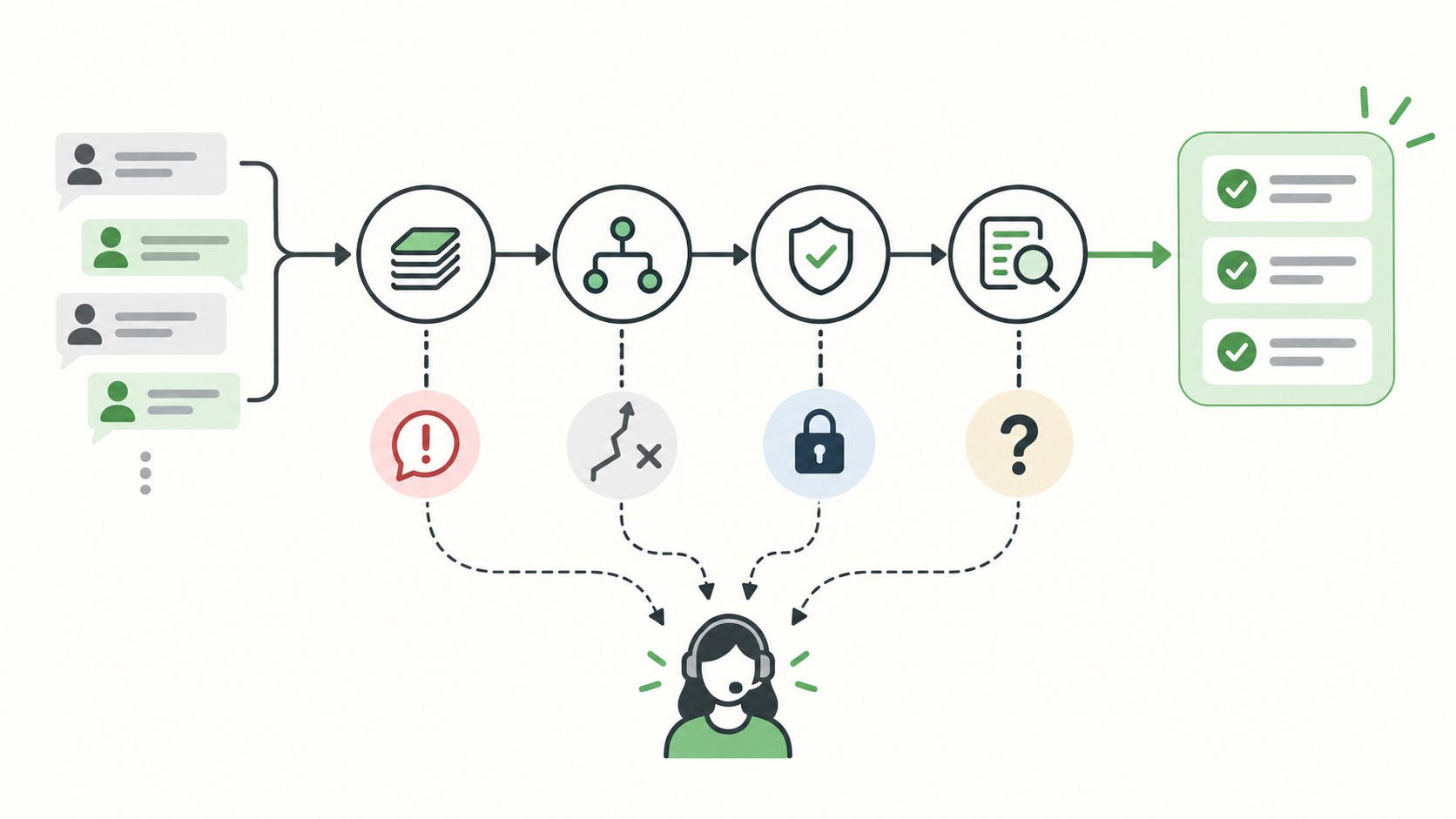
Some requests need judgment, empathy, approval, negotiation, or accountability.
Keep a person involved for situations such as:
- Complaints from an angry customer
- Refunds outside standard policy
- Special pricing requests
- Safety concerns
- Sensitive personal information
- Medical or legal questions
- Charge disputes
- Exceptions to booking rules
- Requests where the available information is incomplete
There is another simple rule: if the customer clearly asks for a person, make that handoff easy.
Forcing someone through six more automated questions after they say “Can I speak to someone?” is not efficient.
The strongest automation systems do not hide humans. They bring humans in at the right moment.
That fits LoloDesk's AI Assistant approach: automate repeatable work, preserve context, and hand off when judgment matters.
A practical example: a rental inquiry
Consider this WhatsApp message:
Hi, do you have two scooters available this weekend?
A weak chatbot might answer:
Yes! We have scooters available.
It sounds helpful, but it has already guessed.
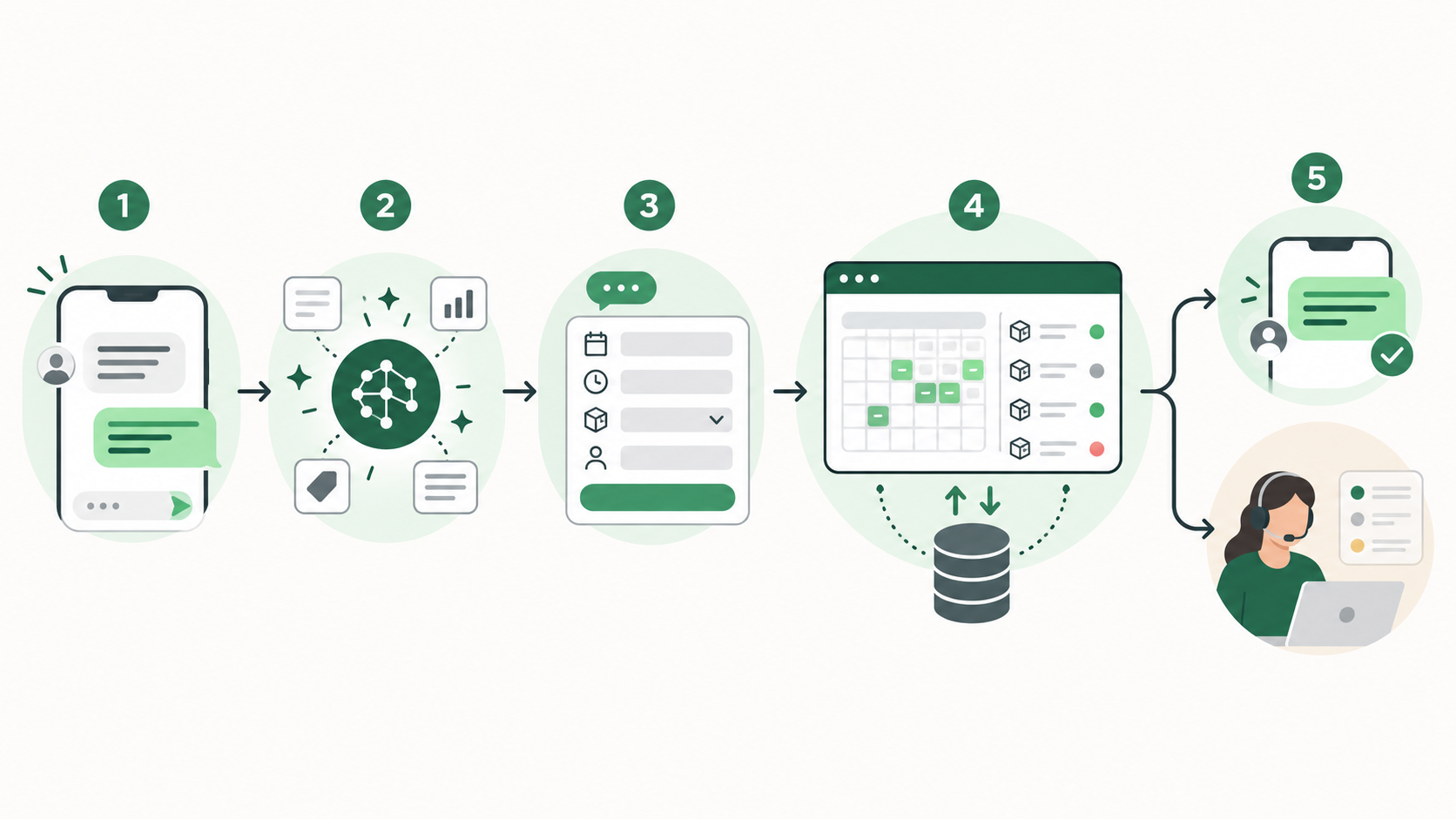
A better workflow looks like this:
Step 1: Understand the request.
The system recognizes a new rental inquiry.
Step 2: Collect what is missing.
It asks for pickup date and time, return date and time, number of scooters, preferred model, and pickup location.
Step 3: Check live availability.
Once the details are complete, the system checks the booking or inventory system.
Step 4: Reply using the result.
If two scooters are available, the customer gets a useful answer based on real data.
Step 5: Bring in a person when needed.
If the customer then asks, “Can you give us a special rate for five days?” the conversation moves to a teammate.
The staff member should receive the dates, vehicle request, location, and previous messages. They should not have to restart the conversation by asking for the same details again.
That is what useful automation looks like: less repetitive work around the human interaction.
How to decide what is safe to automate
Before automating a customer-service task, ask:
| Question | Better for automation | Better for a human |
|---|---|---|
| Does it happen often? | Daily or repeatedly | Rare or unusual |
| Is the answer predictable? | Clear rule | Requires judgment |
| Can it be verified? | FAQ, database, booking system | Incomplete information |
| What happens if it is wrong? | Minor inconvenience | Financial, safety, or trust risk |
| Is there an easy handoff? | Yes | No clear escape route |
The last question matters more than it looks.
Even a good automation will eventually encounter a request it does not understand, missing information, or a system failure. Design the escape route before you design the happy path.
How to roll it out without making support worse
Do not try to automate your whole support operation in one launch.
Start with real conversations from the last week or two. Group the questions that repeat most often.
Then:
- Write the approved answer for each repeated question.
- Identify what customer information is required before the next step.
- Decide which live systems need to be checked.
- Define exactly when a human should take over.
- Review early conversations and improve the weak points.
If your staff currently give three different answers to the same question, automation will not solve that. Standardize the process first.
What should you measure?
You do not need enterprise reporting.
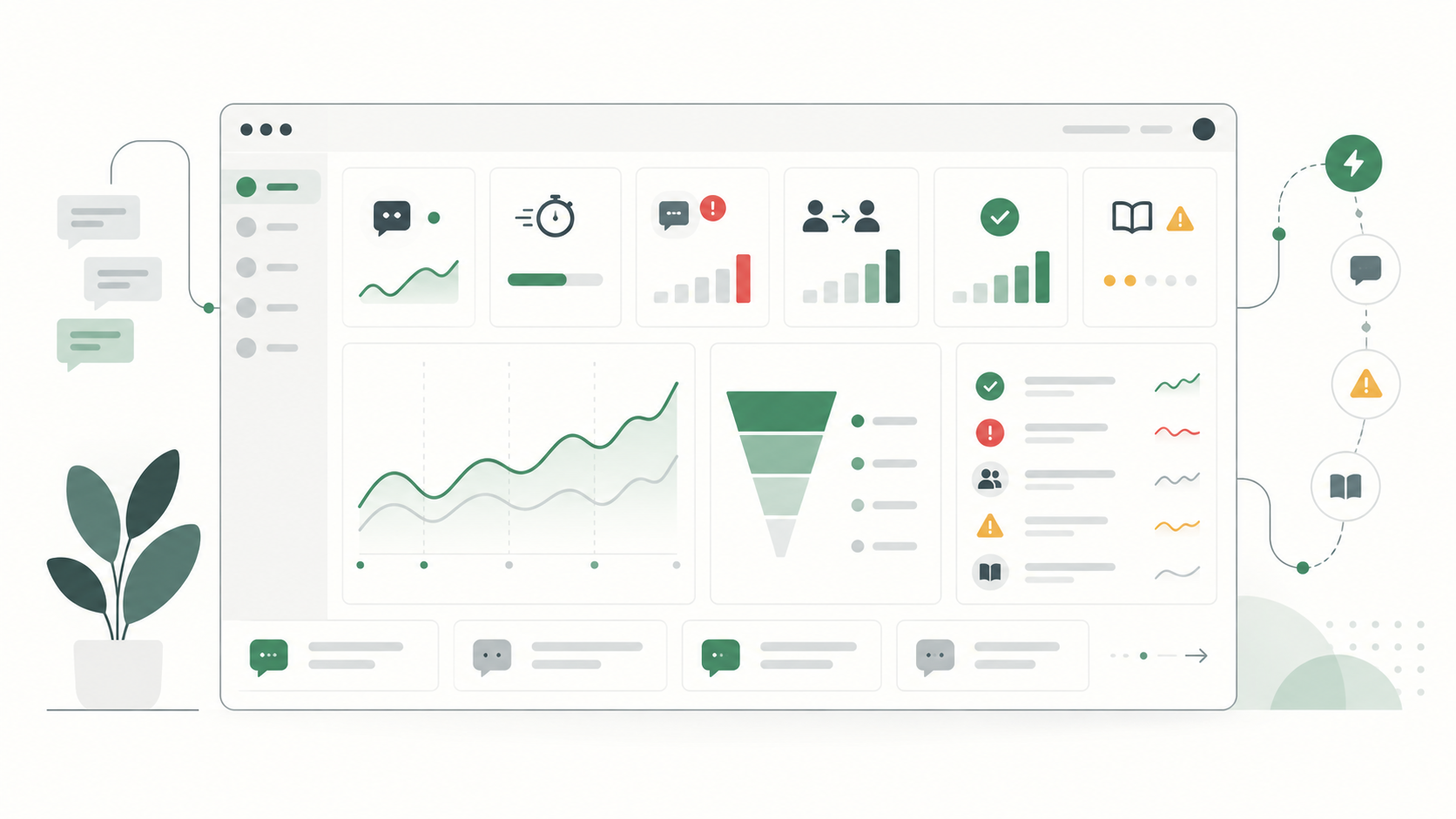
Start with a few practical signals:
- First response time: are customers getting useful replies faster?
- Missed conversations: are fewer inquiries sitting unanswered?
- Repeated manual work: is your team still typing the same answers all day?
- Handoff quality: does the right person get the conversation with enough context?
- Knowledge gaps: what questions can the automation not answer reliably?
Do not optimize only for the percentage of conversations handled by AI.
A high automation rate is meaningless if customers receive poor answers.
LoloDesk's analytics focus on operational signals such as AI resolution, response time, handoffs, successful actions, and gaps in the knowledge available to the assistant.
Where AI actually helps
AI makes the input side of customer service more flexible.
A customer might write:
Hey, we're arriving late Friday, probably around 9ish. Still okay to pick up the bike?
Someone else may ask:
Do you allow pickup after 9 PM?
AI can understand that both customers are asking about late pickup.
But understanding the question and deciding the business outcome are different jobs.
A reliable setup separates them:
- AI understands the request.
- Approved knowledge provides known business information.
- Connected systems provide live data.
- Rules limit what actions are allowed.
- Humans handle judgment and exceptions.
That is much more useful than adding a chatbot and hoping it knows what to do.
Frequently asked questions
What customer service tasks should a small business automate first?
Start with frequent, predictable, low-risk tasks such as FAQs, collecting booking details, basic routing, availability checks, confirmations, and reminders.
Should a small business use AI for customer service?
AI can be useful when it works from reliable business information and has clear limits. Requests involving judgment, exceptions, complaints, sensitive information, or important commitments should have a human path.
What is the difference between customer service automation and a chatbot?
A chatbot is one interface for an automated conversation. Customer service automation is broader and can include assignments, routing, data lookups, bookings, reminders, AI-assisted replies, and human handoff.
Can customer service be fully automated?
More interactions can be automated today, but that does not mean every interaction should be. Small businesses still need people for exceptions, empathy, negotiation, accountability, and uncertain situations.
Start with the work your team repeats
The best customer service automation usually begins with something boring.
A question your team answers every morning. A booking detail they ask every customer to repeat. An inquiry that regularly gets missed. A conversation with no clear owner.
Fix those things first.
Once the repetitive work is organized, AI becomes much more useful because it has a process to support instead of a mess to imitate.
If WhatsApp and website inquiries are becoming difficult to manage, LoloDesk combines a shared inbox, AI assistance, business actions, and human handoff so your team can automate the predictable parts without losing control of the conversation.
Sources and further reading
- Google Search Central, Creating helpful, reliable, people-first content
- Meta, Be There for Every Customer With Meta Business Agent
- Meta, Ways To Manage Your Businesses Chats On WhatsApp